🖥️ DeckCraft: a free PowerPoint rebuild that opens .pptx files and can be driven by AI agents
In brief
- 🖥️ DeckCraft is a free, open-source presentation app that opens and saves .pptx files natively.
- 🧩 It belongs to ArtCraft's Crafting Apps; according to XDA, Brandon Thomas built the suite with the help of Claude Opus 5.5.
- 🤖 No AI is built in, but assistants such as Claude can run every command through an MCP server.
- ⚠️ Still alpha: the developers estimate it is about 55% ready for real work.
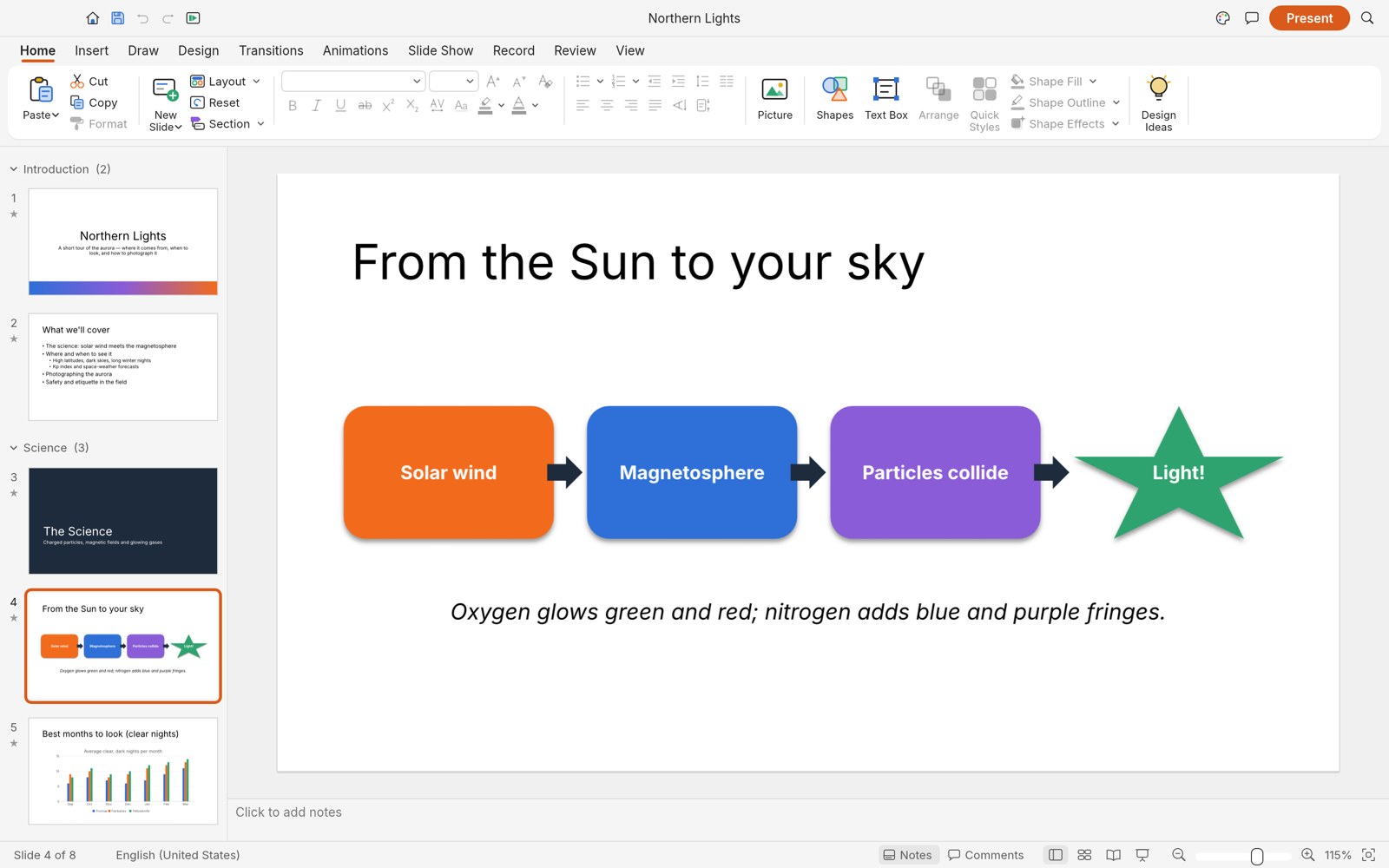
🖥️ DeckCraft is a free presentation app modelled closely on PowerPoint. The [ArtCraft team](https://github.com/storytold/deckcraft) calls it a clean-room rebuild: the workflow follows PowerPoint, but according to the project page no Microsoft code, fonts or templates are used. It is written in Rust, runs on macOS, Windows, Linux and FreeBSD as well as in the browser, and is licensed under MIT or Apache-2.0. The point that matters to many users: DeckCraft opens and saves .pptx files directly and can import older .ppt files. It has slide masters, charts, tables, transitions including Morph, and a presenter view. 📂 There is no AI inside. Instead every button is a command that scripts or AI assistants can run through an MCP server. A review by XDA Developers says developer Brandon Thomas built the ArtCraft suite with the help of Claude Opus 5.5. The app is explicitly an alpha; anyone building an important deck with it should keep a backup.
🧱 What you can build with it. According to the project page, DeckCraft offers eleven slide layouts whose placeholders inherit position and formatting from the slide master, eight original themes with colour and font schemes, sections, notes, comments, headers and footers. For drawing there are more than 150 preset shapes with adjust handles, connectors that stay attached when shapes move, freeform and curve tools, and shape merging (union, intersect, subtract and more). Gradient, picture and pattern fills, shadows, glow and reflections are included too.
🎬 Presenting and exporting. Besides transitions and motion-path animations, the project page lists a full-screen slide show, presenter view, a pen and rehearse timings. Audio and video can be embedded in common formats from MP3 to AV1. Decks export to PDF, including notes pages and handouts with selectable text, to PNG or JPEG, and to an animated GIF of the whole deck. Old PowerPoint 97–2003 files are import only: saving asks for a new name.
🎨 Where it falls short. XDA reviewer Nolen Jonker compares DeckCraft with Canva and PowerPoint. There is no template library like Canva's: a handful of starter decks and eight themes, which are colour schemes with placeholder text rather than designed templates. For people who build slides from scratch, the review finds a lot of control over shapes and effects. WordArt is called Decorative Text here, and a basic version of SmartArt is called Diagram.
🤖 Bring your own AI. More than 200 commands with undo can be reached through a command-line tool, a JSON control channel and an MCP server, the project page says. That lets an assistant such as Claude, or a local model, open a deck and build slides with the same actions a person would click. There is no button for it in the app: the MCP server is started from the terminal, with instructions in the README on GitHub, and an agent can be confined to specific folders. Because DeckCraft runs no model itself, the cost depends on whichever assistant is connected; with a local model it can be zero. XDA also notes that DeckCraft works in .pptx from the start, while Claude Design builds decks in HTML and converts them on export.
📊 How far along it is. The developers state that DeckCraft covers 84% of the features on their PowerPoint comparison list, 92% of the core ones, and estimate it at about 55% ready for real work. Known gaps are listed in the project's own documents. The reviewer advises keeping important work saved elsewhere as well.
📥 How to get it. Ready-made builds are on the release page of the [GitHub repository](https://github.com/storytold/deckcraft): for Windows a signed MSI installer or portable ZIP (x64, ARM64, x86), for macOS a signed and notarised DMG, for Linux an AppImage, Flatpak, .deb, .rpm or tarball, plus FreeBSD and a web build to host yourself. DeckCraft is one of more than a dozen Crafting Apps from the ArtCraft team, including WordCraft for documents and GridCraft for spreadsheets. It suits people who want to edit PowerPoint files without a Microsoft 365 subscription and can live with alpha software; anyone who relies on ready-made design templates or a built-in AI is better served elsewhere.