🔐 LangSmith Tool Gateway: one place for credentials, permissions and logs across all of an AI agent's tool calls
In brief
- 🆕 LangChain launched LangSmith Tool Gateway in public beta: every tool call an agent makes goes through one URL.
- 🔑 It manages credentials and identity and logs each call in LangSmith.
- 🚫 Policies can deny tools; sensitive calls can require a person's approval.
- 💶 Reported for Plus and Enterprise plans; the audit log is Enterprise-only.
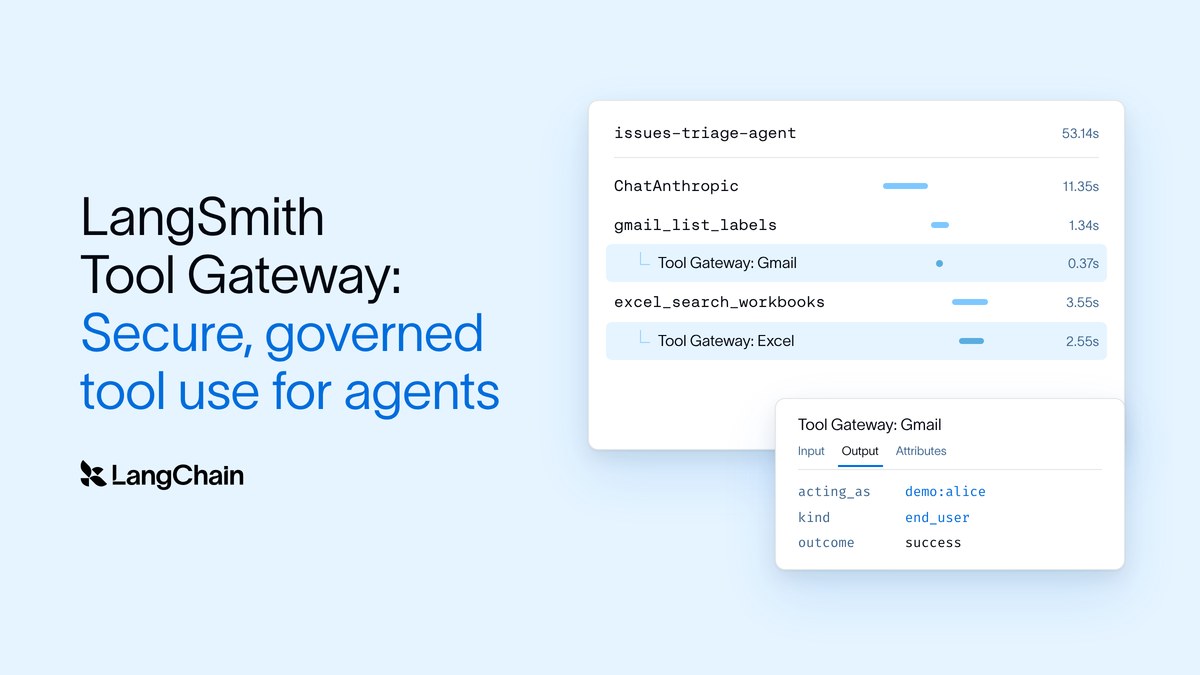
🔌 On 19 November LangChain launched LangSmith Tool Gateway in public beta. It is a managed layer between AI agents and the tool servers (MCP servers) through which an agent acts, for example search, calendar or code hosting. Instead of each agent holding its own keys, every call goes through one URL. The gateway picks the right credentials for the caller, applies rules and writes each call into LangSmith traces. It complements LLM Gateway, which governs model calls. For teams that run agents inside companies, it answers who may do what with which rights. The page gives no pricing, and the audit log is reserved for Enterprise customers.
🔁 There are two identity modes. Acting as the user, the agent uses a person's own credentials: they sign in once, and if they have not connected, the call returns a sign-in link and resumes after authentication. Acting as the agent uses agent credentials or shared profiles that a workspace admin connects once, for background agents. An agent cannot sign in itself; if a credential is missing, the call returns a 409 without sign-in links and an admin has to connect it.
🧰 Tools can be bundled into tool kits, each with its own URL, so an agent sees only the tools in its kit. A search mode loads only the tools relevant to the task in very large kits. Built-in servers exist for Google, Microsoft, Salesforce, GitHub, Linear and LinkedIn (managed OAuth) and for Parallel, Exa, Tavily, Apollo, Ashby, Pylon and web page reading (API key or public). LangChain lists LangChain, Deep Agents, Managed Deep Agents, Claude Code and Cursor as example MCP clients.
🛡️ For control there are deny policies for users, service keys or combinations at organisation or workspace level, and approval policies under which a person must confirm a sensitive call in their MCP client. The order for each request is: identify the caller, apply deny policies, attach a stored credential or request a connection, check approvals, then forward. A blocked request does not reveal which rule fired. Traces show tool, server, user, outcome and duration; sensitive data sent to or returned by tools is not stored.
🚧 Setup, per the docs, needs a Plus or Enterprise plan and a personal access token, since servers and kits cannot be created with a service key. Deny policies and the audit log require talking to sales, according to the announcement. LangSmith Cloud supports GCP US, GCP EU, GCP APAC and AWS US, not Azure US. No independent tests exist.