🧩 Kite: build Discord bots from blocks while an AI assembles the commands
In brief
- 🧩 Kite is an open-source builder for Discord bots: commands and events are made from connected blocks instead of code.
- 🤖 Its assistant Flow AI builds a command from a plain description; Claude or ChatGPT can be connected through an MCP server.
- 🖥️ Kite runs the bot around the clock; the free plan includes 10,000 credits a month and up to 100 servers, the maker says.
- 💶 Paid plans from $2.99 a month per bot raise the limits.
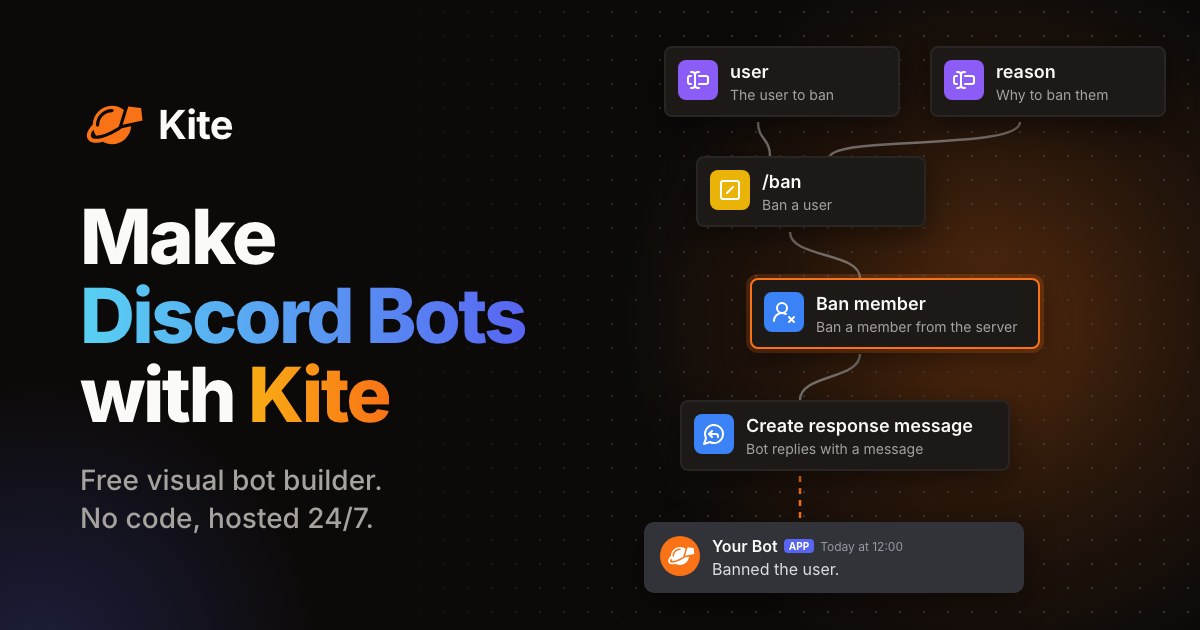
🧩 Anyone who wants their own bot on a Discord server but would rather not program gets a visual builder with [Kite](https://kite.onl). Slash commands, buttons, select menus and events such as a new member joining are put together in an editor as a chain of blocks like "Ban member", "Send message" or "Ask AI". The source code is [on GitHub](https://github.com/merlinfuchs/kite). 🤖 The main addition is the built-in assistant Flow AI: you describe what a command should do and it adds and connects the matching blocks; nothing is saved until you have checked it. Those who prefer to work in Claude, ChatGPT or Claude Code can, according to Kite, connect them to the service and build the bot from there. 🖥️ Kite hosts the bot itself, so it stays online when your own computer is off. Usage is billed in credits: most actions cost one credit, the free plan includes 10,000 a month, and paid plans start at $2.99 per bot and month, according to the maker. For small communities the free tier is usually enough; people who want full control in code are better served by a classic bot library.
⚙️ **Getting the bot onto a server.** First you create your own application in the Discord Developer Portal and copy its bot token, which Kite says takes about two minutes. Then you sign in to Kite with your Discord account, paste the token and invite the bot to your server. Because it is your own Discord application, the bot carries the name, avatar and status you choose, such as "Watching #support"; until you change it, it shows "Powered by Kite.onl".
🧱 **What the blocks do.** According to the project on GitHub there are blocks for messages, members, roles, channels, threads, polls and voice, plus conditions, loops, error handling and stored variables, for example points per member that survive a restart. A dedicated block sends any request to the Discord API, an HTTP block calls outside services, and a ready-made block looks up Roblox players. Events can also fire on a schedule or when a webhook is called. Messages with embeds, buttons and menus are designed in a preview that shows them the way Discord does. Several people can edit the same bot together.
🤖 **Flow AI in practice.** The home page shows an example: asked for a /purge command that deletes the last messages and reports how many were removed, the assistant adds a number argument, a bulk-delete block and a reply with the count, highlights the changes and leaves saving to the user. The bot itself can use AI too: an /ask command answers questions with its own personality and, according to Kite, searches the web without an API key of your own. AI blocks use more credits than ordinary actions, though.
📦 **Templates instead of a blank page.** If you do not want to start from zero, you can take one of more than a hundred ready-made templates from the Marketplace, for moderation, greeting new members with a role and the rules, modmail, tickets or giveaways, and adapt it.
💶 **What it costs and where the limits are.** Credits are only used when the bot does something; conditions, loops and reading data are free, and being online costs nothing. The free plan covers 15 commands, 10 event listeners and 10,000 credits a month per bot on up to 100 servers, with no time limit, according to the maker; one account can create up to ten bots. When the credits run out the bot stays online but pauses its commands and events until the next month and tells users why. The paid tiers Kite Plus and Kite Premium add rotating statuses, animated avatars and per-server profiles, among other things.
🐳 **Running it yourself.** Because the code is open, Kite can also be self-hosted with Docker, Postgres and your own Discord application. The README states plainly, however, that self-hosting is not officially supported and that questions about it are not answered. On its own site Kite compares itself with services such as BotGhost, inventor.bot, BotWiz and Bot Designer for Discord; for anyone to whom programming is no obstacle, classic libraries remain the more flexible choice.